
Video Playback Control
When you open a video in the viewer, the Video Control bar appears so you can play, seek, mute, and adjust playback options.
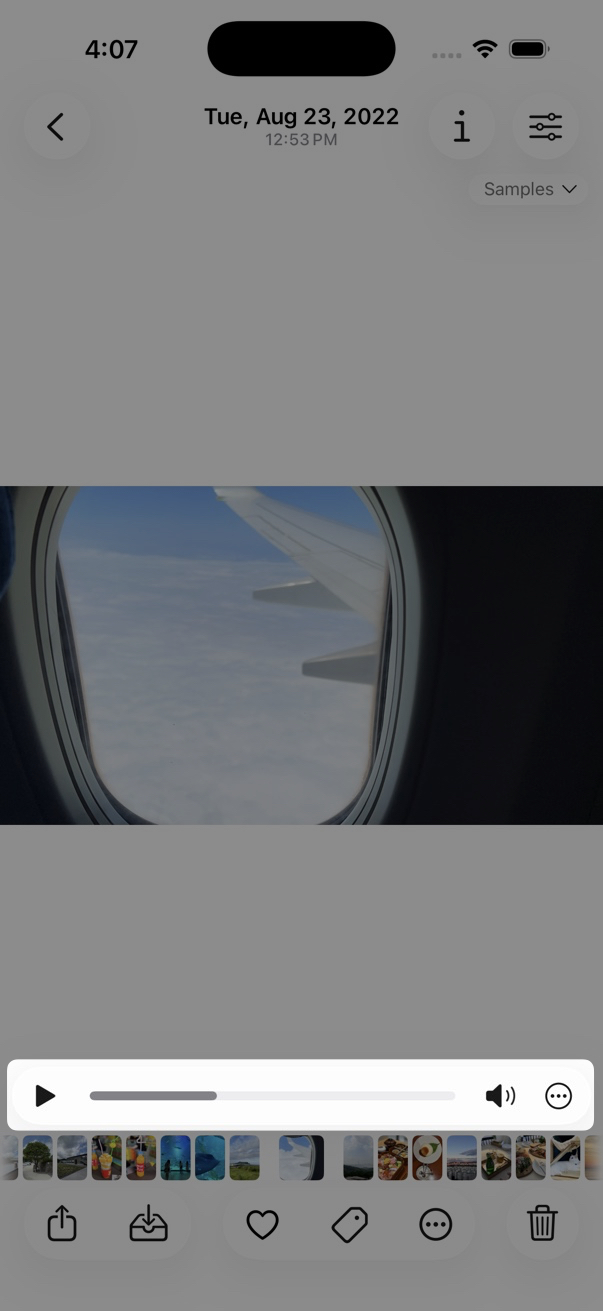
The Video Control bar includes:
- Play / Pause
- Progress bar — drag to seek. Move your finger farther from the bar for finer control.
- Mute
- … — open video control settings
How to set
- Open a video in the viewer.
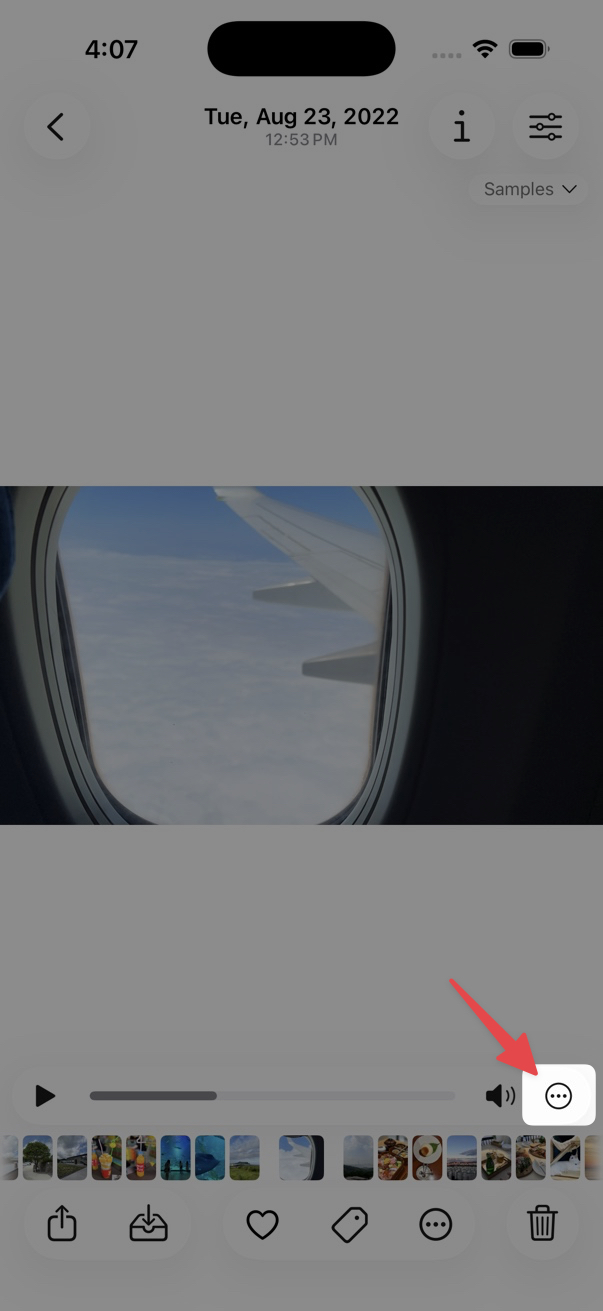
- Tap the … button on the Video Control bar (not the actions button on the bottom toolbar).
- Change the video playback control options you want.
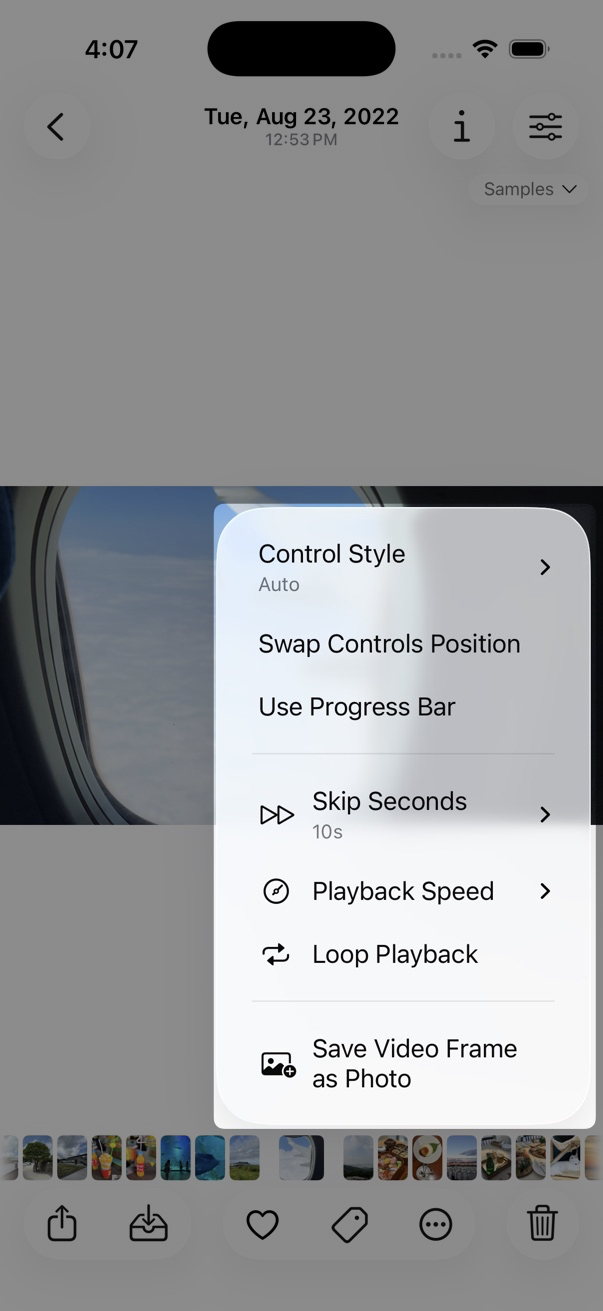
Options
- Control Style
- Choose how the Video Control bar looks and behaves.
- Swap Controls Position
- Swap the position of the playback controls.
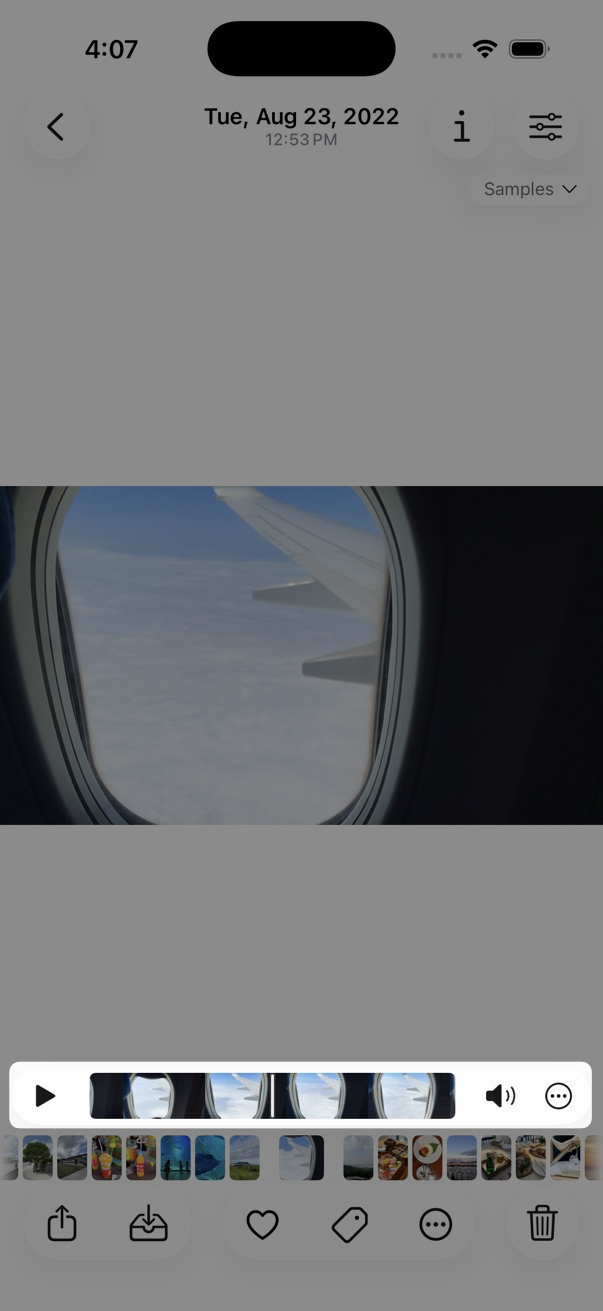
- Use Progress Bar / Use Thumbnail Scrubber
-
Toggle between Progress Bar style and Thumbnail Scrubber style for the seek control.
- Skip Seconds
- Set how many seconds to skip forward or backward.
- Playback Speed
- Change the playback speed of the current video.
- Loop Playback
- Replay the video continuously.
- Save Video Frame as Photo
- Save the current frame as a photo. See Extract Image from Video.