
Compare and Pick
PRO Free: compare only. Deleting candidates is not available.
Compare similar photos side by side and pick the best shot.
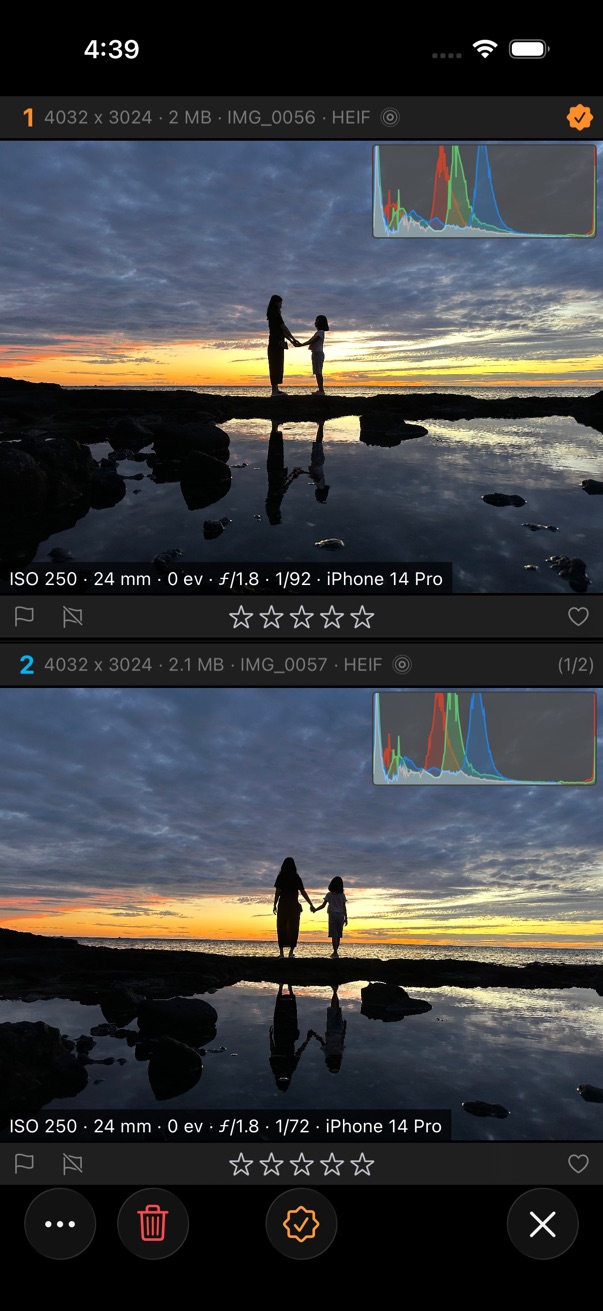
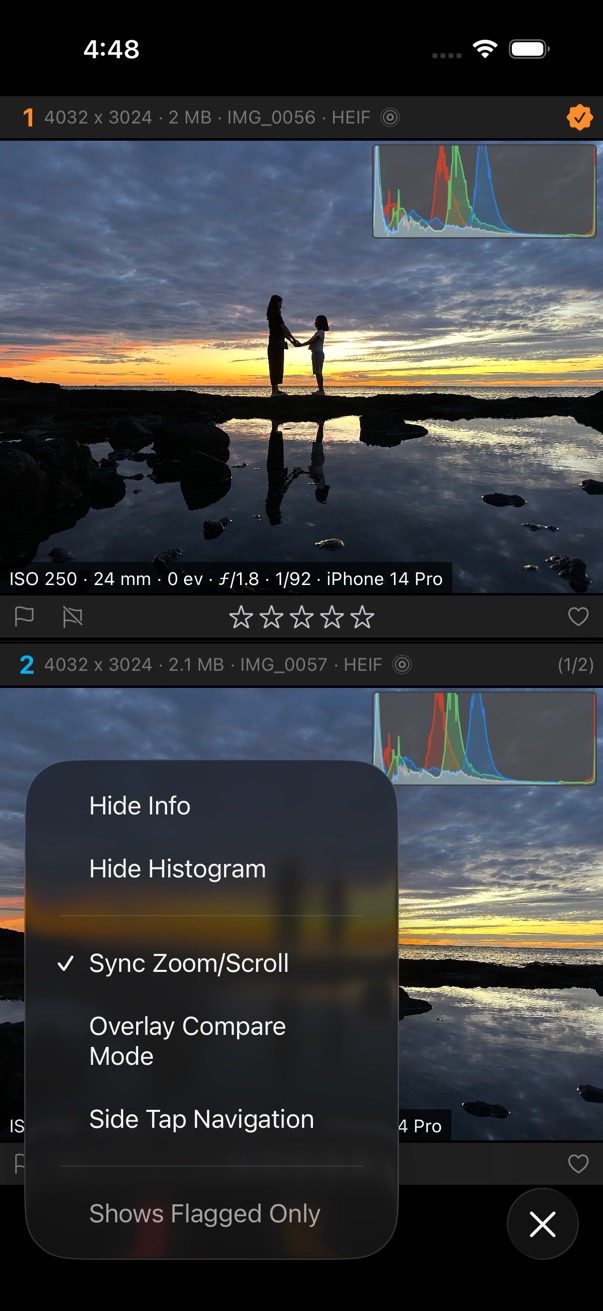
Compare and pick a photo
- Select the photos you want to compare.
- Tap the on the bottom toolbar.
- Tap Compare and Pick.
- Swipe left or right to browse candidate photos.
- When you find the best shot, tap the in the center of the bottom toolbar.
- Rate the photo with 1–5 stars, or mark it as flagged or rejected. See Rating & Flag.
- Tap the delete button to remove candidate photos, or delete flagged or rejected candidates.
